Table of Contents
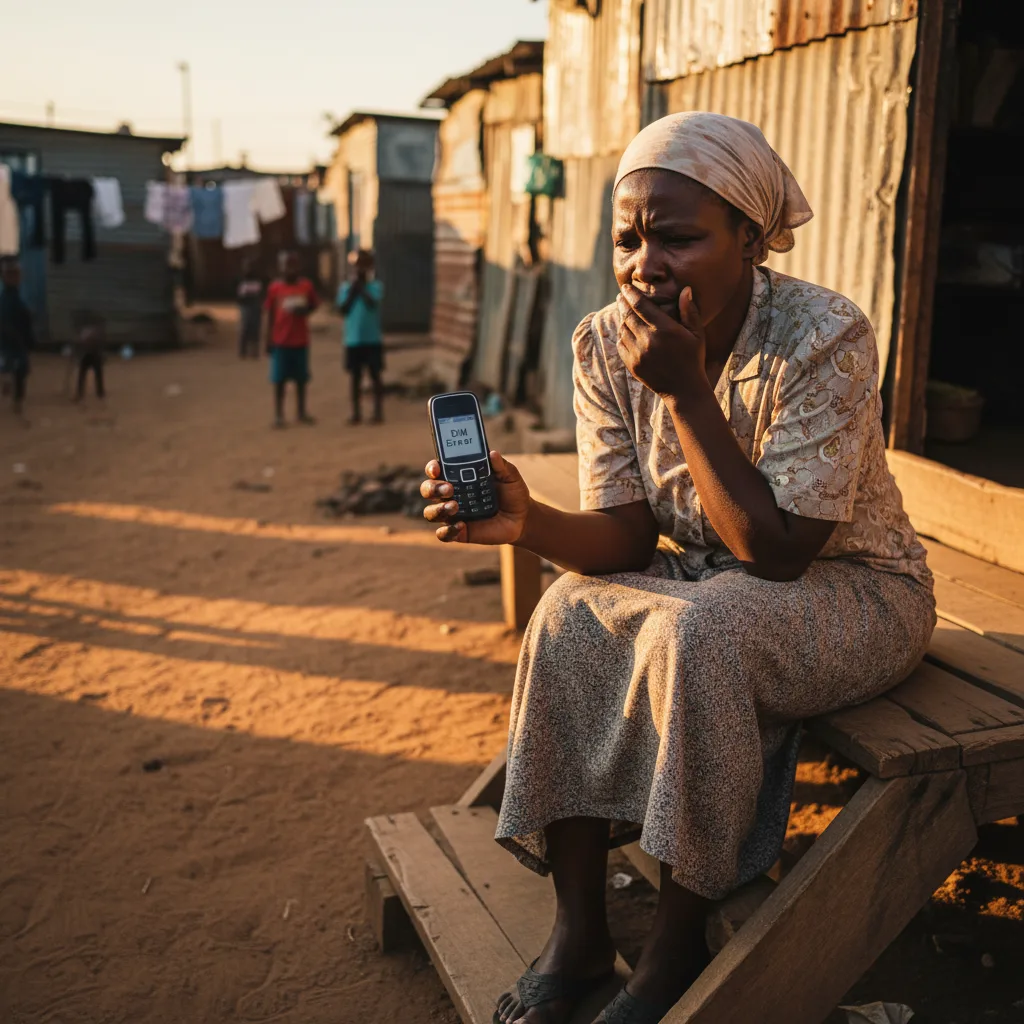
Imagine checking your phone in May or June 2026, expecting to see that R390 SASSA payment notification, only to find a screen full of nothing. A massive wave of SIM card deactivations by Vodacom and MTN is currently hitting South Africans hard. If your number gets purged for “inactivity,” you lose your connection to your money—no OTPs, no SMS alerts, and no way to manage your grant. This guide is my attempt to help you navigate this mess, reactivate your SIM, or update your details with SASSA before your funds are lost for good.
The ‘Silent’ Deactivation: Why Your Phone is Suddenly a Threat to Your Grant
I find it incredibly frustrating that a simple 90-day rule can cause a financial disaster for hundreds of thousands of people. In May 2026, many of you might check your balance and see R0.00, but the problem isn’t a SASSA glitch. It’s your mobile network. Vodacom, MTN, Cell C, and Telkom are purging SIM cards to comply with ICASA rules. If you haven’t made a call or used paid data in about 90 days, they kill the SIM.
This policy is a nightmare for anyone living on the edge. Most SASSA beneficiaries keep their SIMs purely to receive messages. They don’t make expensive calls because they’re saving every cent. But because they only receive and don’t spend, the network thinks the SIM is abandoned. The Digital Poverty Initiative SA says about 1.2 million people are in this danger zone right now. It’s a classic case of a corporate policy hurting the people who can least afford it.
The R390 Lockdown: How a Dead SIM Blocks Every Path to Your SASSA Money
A dead SIM card does more than just stop your texts. It effectively locks the door to your SRD grant and throws away the key. Your phone number is your digital ID in South Africa. When that connection breaks, everything else falls apart.
Here is what happens when things go wrong:
- The OTP Trap: If you need to change your bank details or fix something on the ‘MySA Gov’ portal, you’re stuck. The system sends a One-Time Pin to your old number. If that SIM is dead, you can’t prove who you are. You’re essentially locked out of your own life.
- Flying Blind: You won’t get the SMS saying your grant is ready. This means spending money you don’t have on taxi fares to an ATM just to check if your money is there.
- The Identity Theft Risk: This is what really worries me. Once a number is deactivated, the networks eventually give it to someone else. If a stranger gets your old number, they could potentially get your SASSA notifications. SABRIC has already warned that this is becoming a major way for scammers to steal grants in 2026.
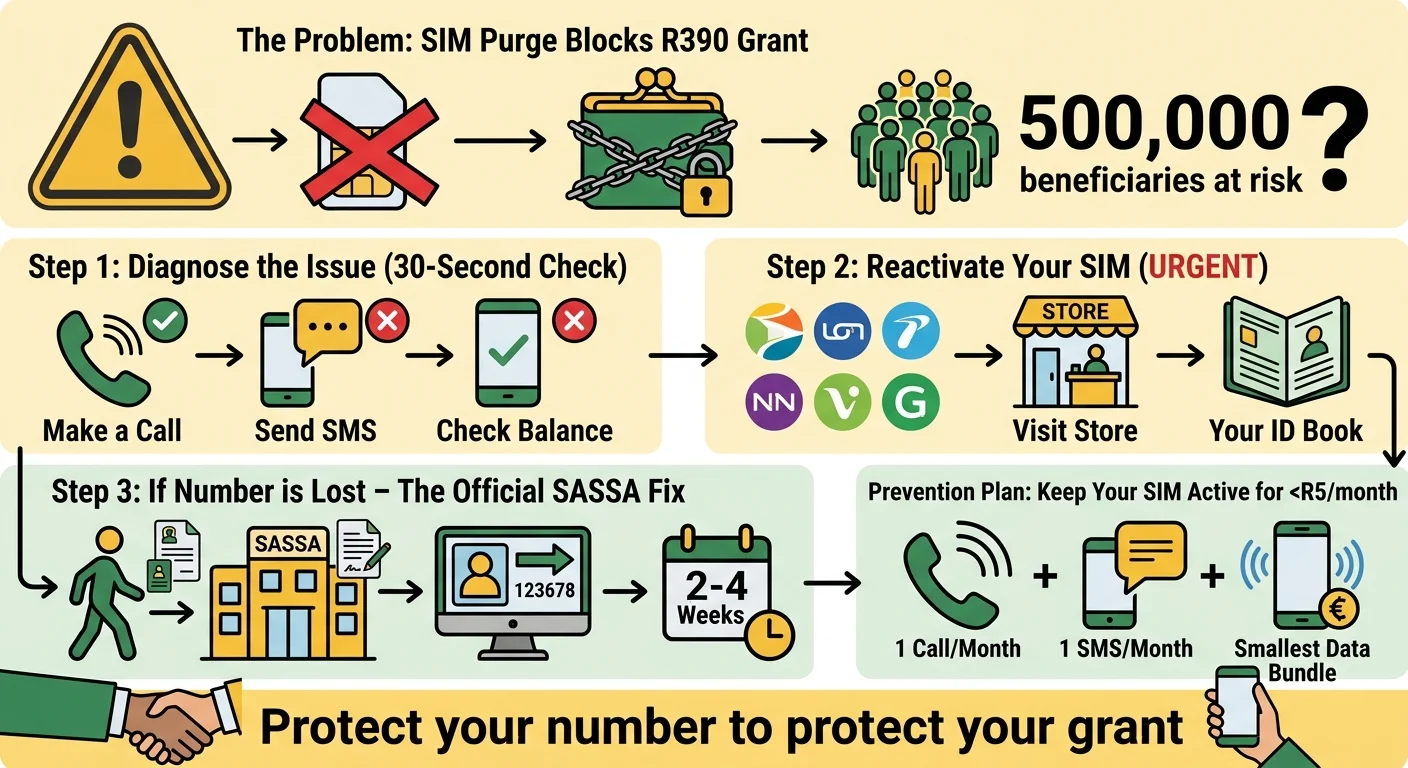
We estimate about 500,000 people in places like Gauteng and the Eastern Cape are at risk of missing their June 2026 payments because of this.
Step 1 - The 30-Second Diagnosis: Is Your SIM Card the Real Problem?
Before you spend hours in a queue at a SASSA office, do this quick check. It takes less than a minute and will tell you exactly where you stand.
Try these three things:
- Call Someone: Try to make a call. If it’s deactivated, you’ll hear a recording saying the number isn’t active, or your phone will just say “Network not available.”
- Send a Text: Try to send a simple SMS. If it fails every time, your service is likely cut off.
- The USSD Test: Dial your network’s balance code. If you get an error instead of your airtime balance, your SIM is gone.
- Vodacom:
*136# - MTN:
*135#or*141# - Cell C:
*101# - Telkom:
*188#
- Vodacom:
If these fail, your SIM is the culprit. While you work on fixing it, you can check your official status on the SRD Status Check portal to see if the money was at least approved.
Step 2 - The Reactivation Race: Your 2026 Guide for Vodacom, MTN, & More
If your SIM just stopped working recently, you might still be able to save it. Most networks have a short grace period before they give your number to someone else. You have to move fast.
How to try and get your number back:
- Go to the Store: You can’t do this over the phone. You need to walk into a Vodacom Shop or MTN Store.
- Bring Your ID: You must have your original green ID book or the Smart ID card. No copies.
- Explain the Grant Link: Tell them clearly that this number is linked to your SASSA grant. Sometimes, if you’re lucky, they can prioritize the recovery.
- Re-RICA: You will probably have to go through the RICA process again to prove the SIM belongs to you.
- Use it Immediately: As soon as it’s back on, put R5 airtime on it and make a call. This tells the system “I’m alive” and stops the 90-day countdown.
If they tell you the number is already gone, don’t waste time arguing. You need to move to Step 3 immediately.
Step 3 - The Official SASSA Fix: How to Update Your Phone Number When You’re Locked Out
This is the part everyone hates, and I don’t blame you. If your old number is gone, you can’t use the website because you can’t get the OTP. It’s a total Catch-22. In 2026, the only way to fix this is the old-fashioned way: in person.
Here is the plan:
- Get a New SIM: Buy a new SIM card and RICA it in your name. This is your new lifeline.
- The Police Station Trip: You need a sworn affidavit. Go to the police and tell them your SASSA-linked number was deactivated and you no longer have it. Write down the old number and your new number on the form.
- The SASSA Office: Take your ID and that affidavit to your nearest office. I know the queues are long, but there is no way around this.
- Manual Update: Ask the official for a “Change of Circumstances” form. They have to manually override the system to put your new number in.
A word of warning: This isn’t a quick fix. It can take 14 to 30 business days. If you lose your number in May, you’re almost certainly going to miss the June payment. You’re aiming to get things right for July 2026. If you run into other issues, check our Appeals Guide.
Prevention is Better Than Cure: How to Keep Your SASSA SIM ‘Active’ for Less Than R5 a Month
I keep thinking about how much stress could be avoided if the networks just changed their rules. But since they won’t, you have to protect yourself. Think of this as a R5 insurance policy for your grant.
To keep your SIM alive, do one of these every month:
- The 20-Second Call: Call a friend once a month. Even a 20-second chat is enough to reset the timer.
- The Monthly SMS: Send one text. It costs less than R1 and proves the line is being used.
- The Data Bump: Buy a tiny R2 data bundle. Turn your data on, check the news for a minute, and turn it off.
Spending R2 to R5 a month is a small price to pay to ensure you never have to stand in a SASSA queue for five hours just to update a phone number.
Frequently Asked Questions
How do I know for sure if my SIM card has been deactivated?
*135#. If the screen says the number isn’t registered or you just get a network error, your mobile provider has likely cut you off for not using the SIM enough.Can SASSA help me get my old phone number back from Vodacom or MTN?
What happens if another person gets my old SASSA phone number?
How long does it take for SASSA to update my phone number in 2026?
What documents do I need to take to the SASSA office to change my number?
Can I update my phone number on the SASSA website if I can't receive an OTP?
Will my grant be cancelled forever if my SIM is deactivated?
What is the cheapest way to keep my SIM active?
Read Next
SASSA June Payment Update: June 2026 Payment Cycle Confirmed
The June 2026 SASSA payment cycle is confirmed for 2, 3 and 4 June 2026 for the …
The R50 Billion Food Waste SHOCK: Why Your R390 SASSA Grant Can't Buy Food While SA Throws It Away
BREAKING May 2026: A shocking new report reveals South Africa wastes over R50 …
Comments & Discussions