Table of Contents
Title: Your R390 Grant ‘Lost’? The Official 2026 Guide to Fixing Incorrect SASSA Bank & Phone Details
If you’re staring at an empty bank account while waiting for your May 2026 SASSA R390 SRD grant, you aren’t alone. It feels like the money just vanished. This guide explains why your SASSA payment failed and how to fix your banking or phone details immediately to get paid.
The R390 Vanishing Act: Why Thousands of SASSA Payments are Failing in May 2026
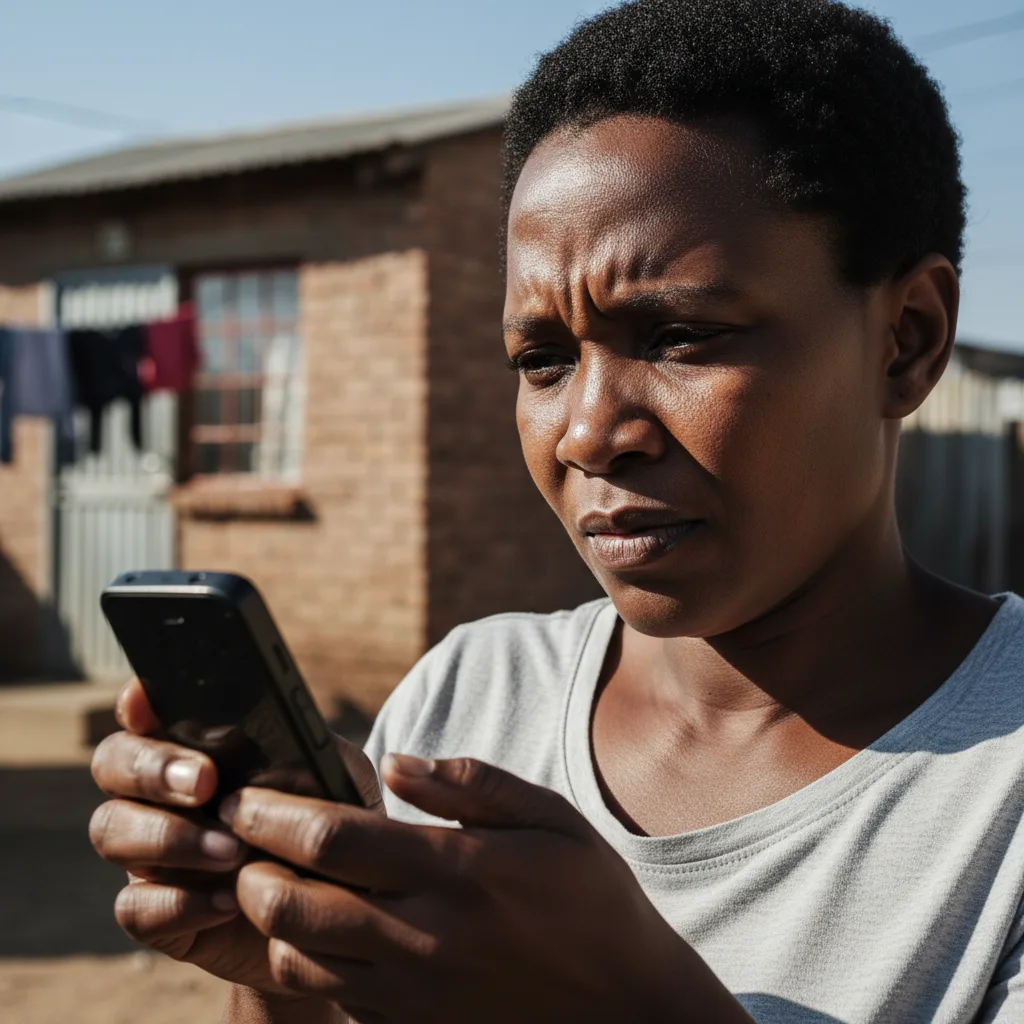
I’ve been watching the reports of failed payments lately, and the level of stress out there is heartbreaking. Thousands of SASSA SRD beneficiaries are checking their accounts only to find that their May 2026 R390 grant is nowhere to be found. This isn’t just a simple delay. For many, it’s a ‘Payment Failed’ status that feels like a dead end. Based on what we saw in community reports back in April 2026, over 400,000 people are stuck in this mess because of a ‘data mismatch.’
It’s a frustrating technical hurdle. Essentially, the info SASSA has doesn’t match what your bank or mobile provider says. The shift to the ‘MySA Gov’ platform has been rocky, to say the least. And with the stricter bank checks that started in early 2026 to stop scammers, the system has become incredibly picky. Data from the Payments Association of South Africa (PASA) shows that these automated systems will kill a payment instantly if your name, ID, and account number don’t line up perfectly. A tiny typo from years ago or a bank account under a slightly different name is now enough to block your only source of income.
Diagnosis: Is It a ‘Data Mismatch’ or Something Else? Your 3-Step Checklist
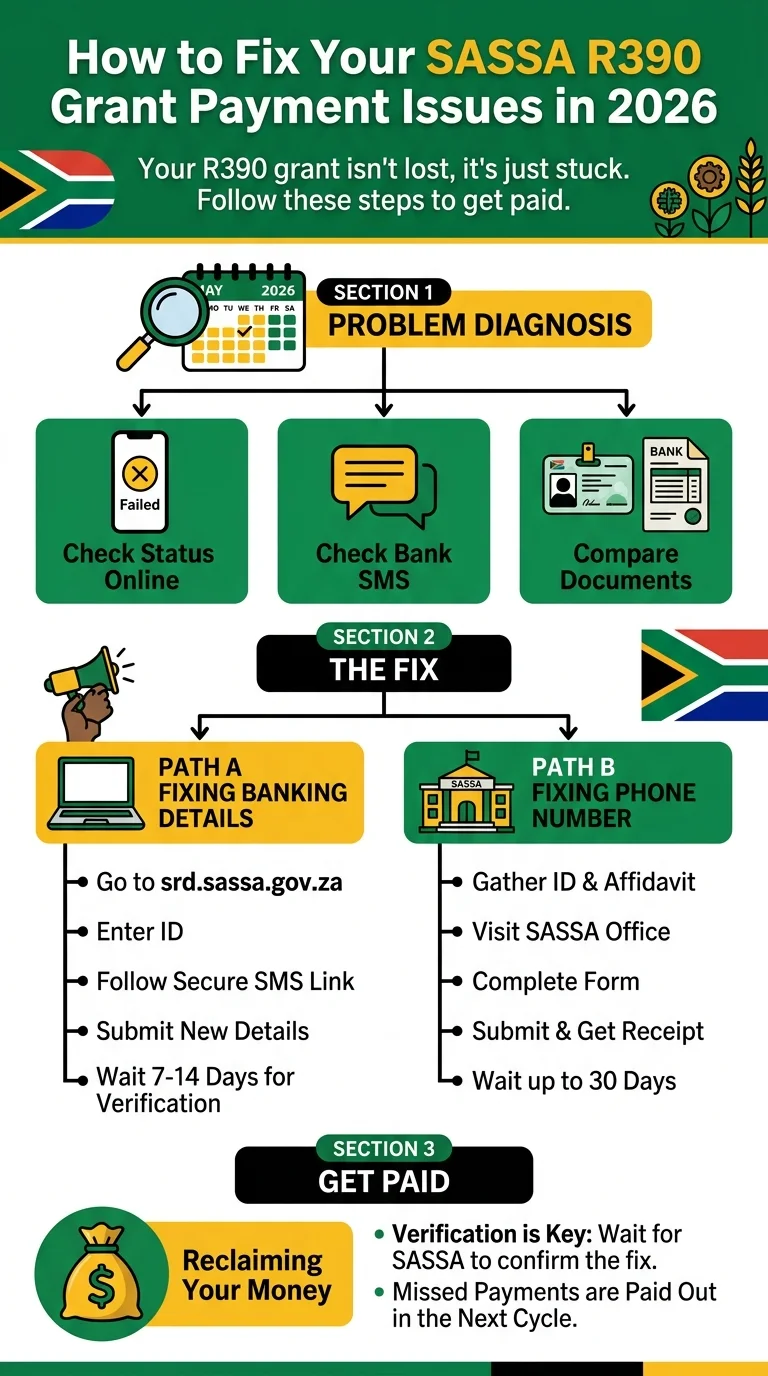
You have to be a detective before you can fix this. A ‘Payment Failed’ status can happen for a few reasons, but you can usually tell if it’s a data mismatch by following these steps.
Step 1: Check Your Official Status. Get the facts straight from the source. Don’t rely on what people are saying on Facebook. Go to the official SRD Status Check portal. Put in your ID and phone number. If you see messages like ‘Bank Details Failed Verification’ or ‘Invalid Banking Details,’ you’ve found the problem. If it just says ‘Pending’ for weeks, it might still be a verification failure behind the scenes.
Step 2: Look Closely at Your SMS History. Banks have to tell you if an incoming payment fails. Look through your texts from around your expected SASSA pay date. If you see a message about a rejected payment from ‘SASSA,’ that’s your smoking gun. Also, check if you’re still getting OTPs from SASSA. If those texts stopped coming, your phone number is likely the issue.
Step 3: Compare Your Documents Side-by-Side. This is the most important part. Take your ID card and a recent bank statement or proof of account letter. Look at them together.
- Full Names: Do they match exactly? If the bank has ‘John F. Khumalo’ but SASSA just has ‘John Khumalo,’ the system might reject it.
- ID Number: Look for any flipped numbers.
- Bank Account Number: Go through it digit by digit.
- Cell Phone Number: Is the number you used for your application still the one in your hand?
If you find even one small difference, that’s why you aren’t getting paid.
The Ultimate Fix for Wrong Banking Details: A Step-by-Step 2026 Guide
Fixing your bank details is urgent. By April 2026, SASSA made it clear they want everyone using the online system because it’s way faster than waiting in a physical queue. In fact, the Department of Social Development says online updates move about 60% faster. Here is how you do it:
- Go to the SASSA SRD Website: Use the official portal at
srd.sassa.gov.za. - Find the Right Section: Look for the part that says ‘How do I change my banking details’.
- Enter Your ID: Type in your 13-digit ID and hit ‘Submit’.
- Wait for the SMS: SASSA will send a text to the phone number they have on file. It contains a unique, secure link. If you don’t have access to that phone number anymore, you’re going to have a problem (see the next section).
- Click the Link: This takes you to a secure page to put in your new info.
- Input Your New Details: Be very careful here. Put in your bank name, account number, and branch code. The account must be in your name. You can’t use your sister’s or your friend’s account. SASSA will block those payments to prevent fraud.
- Wait for Verification: It isn’t instant. Your details have to be checked against Home Affairs and your bank. This usually takes 7 to 14 working days. Keep an eye on the SRD Status Check to see when it’s cleared.
What If You Can’t Get Online? If you don’t have a smartphone or data, you’ll have to go to a SASSA office. Bring your ID and your bank statement. Be ready to wait, because the lines are usually long.
“Wrong Number” Crisis: How to Reclaim Your Grant When Your Cell Number is Incorrect
Your phone number is your lifeline for the SASSA grant in 2026. It’s how they verify you and how you get the links to change your bank info. If that number is wrong or the SIM is lost, you’re effectively locked out. And I’ll be honest, this part is a pain because you cannot change your phone number online. It’s a security rule to stop hackers from stealing your grant.
Dr. Thandiwe Mkhize, a social policy analyst, points out that this is a huge hurdle. If someone steals your phone, you basically lose your grant until you can prove who you are in person.
To fix a wrong number, you have to do this:
- Get Your Paperwork Ready: Take your ID card. I also suggest going to the police station and getting a quick affidavit. Write down your ID, your old number, your new number, and state that you are the rightful owner of the grant.
- Go to a SASSA Office: Tell the staff you need to update your contact details for the SRD grant. They’ll give you a specific form.
- Fill Out the Form: Double-check that new number before you hand it over.
- Get Proof: This is vital. Ask for a stamped receipt or a reference number. If the system doesn’t update, that paper is your only proof that you showed up.
This manual update can take up to 30 days. Start this process the moment you realize your number is wrong.
From ‘Failed’ to ‘Paid’: What to Expect After Updating Your Details
Once you’ve updated everything, you’ll probably feel a sense of relief, but don’t expect the money to hit your account that same afternoon.
Verification Takes Time: Your new info goes into a queue. SASSA checks it against Home Affairs and the banks. In May 2026, online bank changes are taking about 7-14 business days. If you did it at an office, it might take a full month.
What About My Missed Money? This is what everyone asks. If your payment failed because of bad bank details and you fix them, SASSA will pay you what they owe you. But it won’t be a separate payment tomorrow. Usually, they’ll bundle the missed money into the next payment cycle. So, if you fix it in May, you might get both May and April’s money in June. Sometimes it comes as one big double payment, sometimes as two separate deposits. If you don’t fix your details, that money eventually goes back to the Treasury, and you’ll have to appeal for the specific month you missed.
How to Make Sure It Worked: Don’t just sit and wonder. A week after you make the change, go back to the SRD Status Check portal. You want to see that ‘Failed’ status turn into ‘Pending’ or ‘Approved.’
Frequently Asked Questions
How long does it take for SASSA to update my banking details in 2026?
What happens to my R390 if it was sent to an incorrect or closed bank account?
Can I use someone else's bank account for my SASSA grant?
I don't have a smartphone or internet. How can I fix my details?
Why did my SASSA banking details change without my permission?
What documents do I need to take to a SASSA office to change my phone number?
Will I get all my missed payments after I fix my details?
SASSA says my details are correct, but the bank says the payment was rejected. What now?
Read Next
SASSA June Payment Update: June 2026 Payment Cycle Confirmed
The June 2026 SASSA payment cycle is confirmed for 2, 3 and 4 June 2026 for the …
The R50 Billion Food Waste SHOCK: Why Your R390 SASSA Grant Can't Buy Food While SA Throws It Away
BREAKING May 2026: A shocking new report reveals South Africa wastes over R50 …
Comments & Discussions